
Managed IT
Business Phone Systems, VoIP and PBX for Offices in Oman
Packages
Setup
From 150 OMR/ one-time
- PBX with an IVR auto-attendant
- Extensions for your team
- One site, configured and tested
Per extension
From 2 OMR/ per extension / month
- Hosted VoIP extension
- At a desk or on mobile
- Managed and supported
Overview
The phone is still the front door to your business
For a lot of businesses in Oman, the phone is the first thing a customer reaches for, and often the first thing that lets them down. You might be running one or two shared lines, so a second caller hears a busy tone and rings a competitor instead. Staff give out their personal mobiles because there is no tidy way to reach them at a desk. Someone at the front catches every call and transfers it by hand, and when they step out, the phone rings into an empty room. Adding a desk means another call to the telecom company and another wait. None of this appears on an invoice, but every missed or fumbled call is a customer who tried once.
A business phone system replaces that with something you control. Instead of copper lines wired to particular desks, your calls run over your internet connection and office network, managed by software that decides where each call should go. In the Gulf this is what people mean by a سنترال: one central system that ties every phone, extension and branch together. We set it up, connect it to your numbers, and keep it running alongside the rest of your IT support.
What a business phone system actually is
A few plain terms sit behind the sales words, and it helps to know them before you spend. VoIP, or voice over IP, means your calls travel as data over the network rather than down a dedicated phone wire. The PBX (private branch exchange) is the part that does the work: it gives each person an extension, connects internal calls, and passes outside calls in and out through a line from your telecom provider. Put together, that is an IP-PBX, which is the modern سنترال.
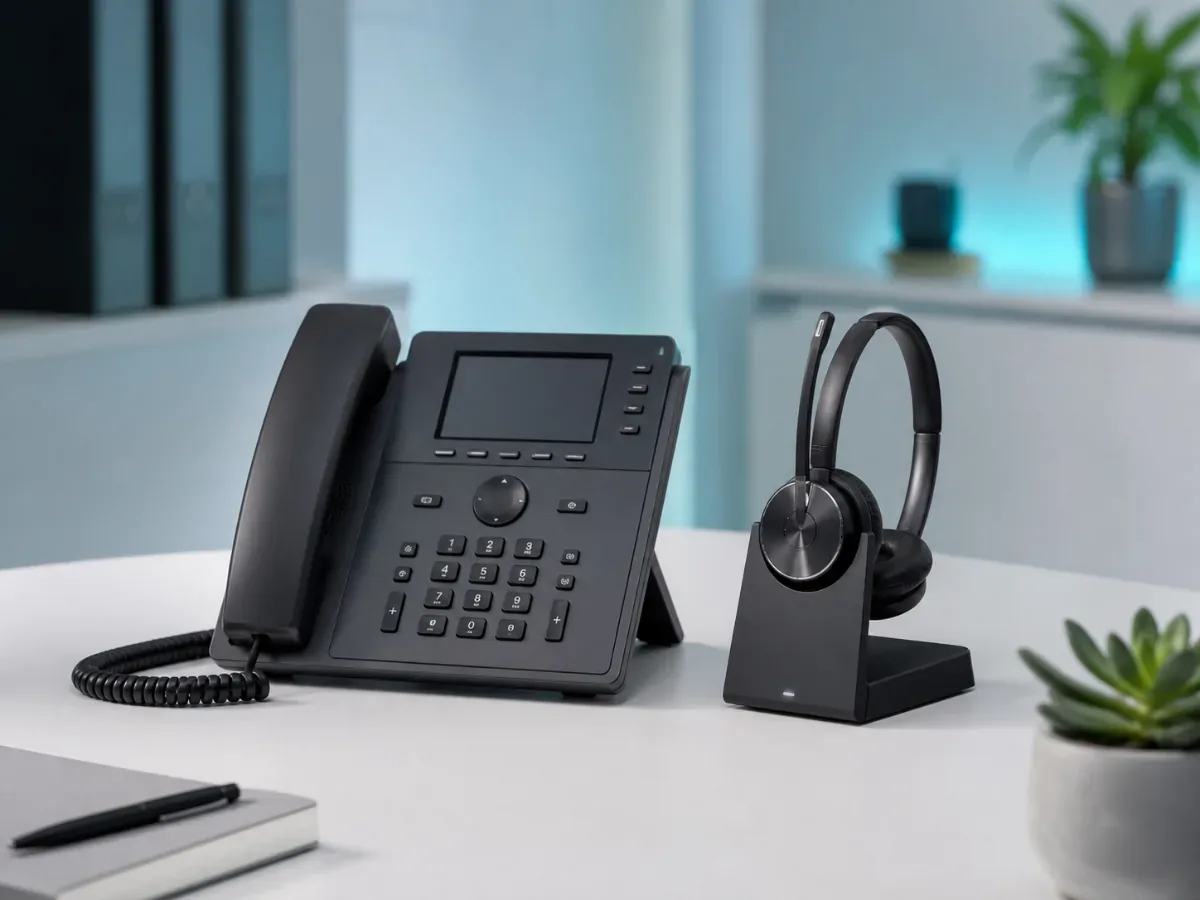
The system can live in one of two places. A hosted, or cloud, PBX runs on servers off site, so there is little in your office and you reach it over the internet. An on-premises PBX sits on a small appliance in your building, which suits businesses that want the control in-house or work where the connection is less steady. Either way your team makes calls on IP desk phones, on a softphone app on a computer or mobile, or on both at once. We help you pick the shape that fits how you actually work and what your line can carry, rather than fitting the same box to every business.
Extensions, internal calling and sending each caller to the right place
The change teams feel first is internal calling. Every desk, and every person, gets a short extension, so reaching a colleague is a two or three digit dial instead of a walk across the floor or a call to their mobile. Those internal calls cost nothing and stay inside your system, whether the two people share a room or sit in different branches.
Outside calls are where the routing earns its place. An auto-attendant, the recorded menu that greets a caller and offers "press one for sales, two for accounts," sends people where they need to go without someone fielding every ring. You can point a department at a ring group, so a whole team's phones sound until someone answers, and set different behaviour for working hours, evenings and public holidays. A call nobody catches drops to voicemail that lands in your email as a recording you can play back. Since the greeting can be in Arabic or English, the caller picks a language before a person is even involved. For a business with more than one location, the same system can send a caller to the nearest branch, or pool every branch's calls to one team, whichever matches how you run.
One number, on the desk, the mobile and the laptop
An old phone line is tied to a place. A business phone system is tied to a person, and that quietly changes what your team can do. One extension can ring a desk phone, a laptop app and a mobile app together or in sequence, so a call finds the right person wherever they happen to be. Staff out on site or working from home make and take calls on the company number, and the customer sees your business rather than a private mobile. When someone leaves, the number and the extension stay with you and move to whoever fills the role.
This is what makes remote and field staff workable rather than a compromise. A salesperson on the road, an engineer moving between sites and a colleague at home all sit on the same سنترال as the head office, sharing one directory and one set of rules. Open a branch and its phones join the system you already have, instead of becoming a separate island with its own number and its own answering machine.
How we set it up, and how you keep your number
Before we quote, we learn how calls behave in your business today: how many lines and numbers you hold, how many people need a phone, how you want callers guided, and whether your connection and network can carry voice cleanly. From that we design the call flows and the menu, agree the handsets and apps, and hand you a plan and a price before anything is installed.
Keeping your published number matters, because it is printed on your vehicles, your signage and saved in every customer's phone. Where the number can be carried across to the new system, we port it so none of your marketing has to change. Where a line cannot be moved, we plan the switch so you keep answering throughout, running the old and new side by side and forwarding calls until the cutover is done. The goal is a change your customers never notice happened.
Clear calls, on a network built to carry them
A phone system is only as good as the network beneath it, which is the corner a cheap install tends to cut. Voice is less forgiving than a download: too little upload bandwidth, or a network that treats a large file transfer the same as a live conversation, and voices break up, clip or arrive late. That is why the phones and your business network are one job, not two. We give voice priority on the network so a busy connection does not garble a call, check the line can carry the number of calls you make at once, and power the desk phones over the same cabling that carries your data. If the internet drops, calls can fall back to mobiles so customers still reach you.
Set up on the ground in Oman
Because we are based in Muscat and work on site, the install is people in your office: handsets configured in the room, the menu and greeting recorded with you, and your team shown how transfers, hold and voicemail work before we leave. A problem that needs a hand on the hardware gets a visit, not a manual couriered to your reception. For businesses across the wider GCC we set systems up and support them remotely.
The phone system then sits inside the rest of your technology, looked after by the same team:
- Managed IT support so one partner owns the phones, the network and everything around them
- The office network and cabling that every call depends on
- A new office or branch fit-out where the phones go in with everything else
- Cybersecurity to guard the system against call fraud and misuse
Talk to us
Tell us how calls reach you today and where they get stuck, and we will assess your setup and quote a phone system that fits the business. WhatsApp or call +968 9097 1795, or email contact@budtech.om. One local team for the phones, the network your calls ride on and the technology underneath.
Related reading
Frequently Asked Questions
Can I keep my current business number if we switch to a VoIP system?
In most cases, yes. Where your number can be ported, we carry it across so nothing on your signage or marketing changes. Where a line cannot be moved, we run the old and new side by side and forward calls until the switch is clean, so you never stop answering.
Do we have to buy new desk phones, or can staff just use an app?
Either, or both. Some businesses want IP desk phones at reception and in offices; others run entirely on softphone apps on computers and mobiles. Most mix the two. We recommend a setup based on how your team works and what your connection can carry.
Will the call quality be good enough, or do calls break up over the internet?
Call quality comes down to the network, not the idea of VoIP itself. We give voice traffic priority, check your connection has the upload bandwidth for the calls you make, and set up the office network so a big download does not interrupt a live call. Where the connection is weak, we plan around it.
Can staff use the office number when working from home or out on site?
Yes. The same extension can ring their mobile or laptop, and they make outgoing calls on the company number, so customers always see your business. Remote and field staff sit on the same system as the office.
Can one phone system cover several branches?
Yes. All your branches run on one system with one set of extensions, internal calls between them are free, and you can route callers to the nearest branch or pool everyone into one team. Adding a branch means joining it to the system you already have.
What happens to our phones if the internet goes down?
Calls can fail over to mobiles or another number automatically, so customers still reach you. For businesses that need calls to keep working through outages, an on-premises setup and a backup connection are options we will size to the risk.