
Moving your business phones to VoIP: what to expect, step by step
A plain guide to switching your office from old phone lines to a VoIP system: keeping your number, getting the network ready, and cutting over with almost no downtime.
What moving to VoIP actually means
If your office still runs on old phone lines and you are weighing up a move to VoIP, the honest answer is that it is more straightforward than most owners expect, and done properly the phones barely stop ringing while it happens. A VoIP migration means taking your business calls off the traditional copper lines and running them over your internet connection instead. The switchboard that used to be a box on the wall becomes a business phone system, often called a سنترال in this part of the world, that handles your extensions, call routing and recorded greeting in software.
For a business the appeal is practical. One system can cover the whole office and any branches, staff can take calls on a desk handset or a mobile app, and adding a new extension becomes a change in settings rather than a new cable and a technician's visit. Call recording, working-hours routing and a proper welcome menu stop being expensive extras and become part of the standard setup.
Can you keep your existing number
This is usually the first question, and for good reason: your number is printed on signage, cards, invoices and every listing customers have saved. In almost all cases the answer is yes. Moving a number from one provider to another is called porting, and it is a normal, well-trodden process. Your new system provider requests the number from your current carrier, the two sides confirm the details, and the number moves across without you having to reprint anything.
The practical points to know: porting takes a few working days rather than minutes, it is scheduled for a specific day, and you keep using the old line right up until the number actually switches. Nobody dials a temporary number in the meantime. If you have several numbers, a main line and a fax number for example, they can usually all come across together, and you decide which one rings where afterwards.
First check: can your network carry the calls
Because VoIP calls travel over the same connection as your email and everything else, the office network matters more than the phones themselves. This is the step people skip and later regret. Before anything is ordered, the sensible move is to look at the internet line and the internal office network and cabling: whether there is enough upload bandwidth for the number of simultaneous calls you make, whether the connection is stable, and whether the wiring is sound.
Voice is sensitive to a congested or flaky network in a way that web browsing is not, so a call can sound choppy on a line that feels perfectly fine for everything else. The fix is usually undramatic: giving voice traffic priority so calls take precedence over a large download, and making sure the handsets sit on solid cabling rather than weak wifi. Getting this right first is the single biggest reason one office's VoIP sounds crystal clear and another's does not.
Choosing handsets, softphones, or both
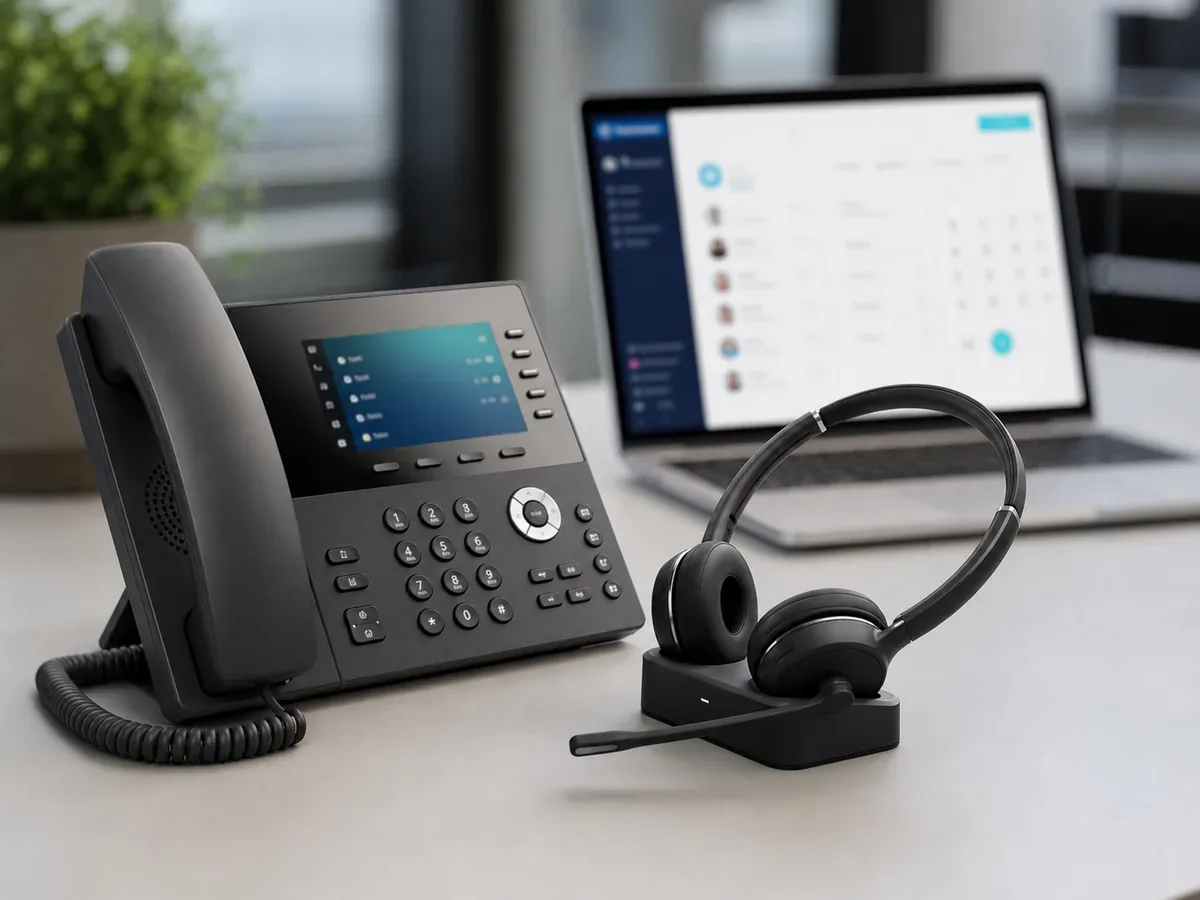
You have three sensible options and most businesses end up with a mix. Desk handsets are IP phones that look and feel like the phones staff already know, which keeps the change small for a reception desk or a shopfront. Softphones are apps on a computer or mobile, so a laptop or a personal phone becomes a work extension carrying the office number, which suits people who move around or work from more than one place. Many offices put handsets where a phone always sits and softphones in the hands of staff who are rarely at a desk.
There is no need to decide perfectly upfront. Because extensions are just settings, you can start with handsets at the desks that need them and hand out the mobile app more widely later without buying anything new.
Setting up extensions, call routing and your greeting
With the network ready and the hardware chosen, the new system is configured before it goes anywhere near your live calls. This is where the سنترال is built: each person or desk gets an extension, and you decide how an incoming call behaves. A call to the main number might ring reception first, then a group of people, then roll to a mobile after hours. You set your opening hours so calls are handled differently outside them, and you record the greeting callers hear, in Arabic and English as most businesses here want.
None of this touches your current phones yet. The whole system can be built and adjusted on the side while the old line keeps working exactly as before, which is what makes the actual switch so quiet.
Testing in parallel, then switching over
The part that keeps downtime close to zero is that the new system runs alongside the old one before anything is cut over. The handsets and apps are set up and tested on the new setup while your existing number still rings on the old line. You can make and receive test calls, listen to the greeting, check that after-hours routing behaves, and fix anything odd, all without a single customer noticing.
Only when everyone is happy is the number ported across, on a scheduled day, usually a quiet one. At that point incoming calls simply start arriving on the new system. Because the phones, extensions and routing were already proven, the switch itself is a matter of the number moving, not a scramble to set things up under pressure. If anything needs a final tweak, it is a small adjustment rather than an outage.
A realistic timeline and what to prepare
For a typical small office, the work from decision to full cutover often runs a week or two, and the largest single variable is the number port, which follows the carrier's schedule rather than yours. A larger site with many extensions, several branches or a fussy old setup takes longer, while a brand new office with no number to port can go faster. Treat any timeline as a rough guide; the honest figure comes from looking at your actual setup.
To make it smooth, it helps to have a few things ready: a recent phone bill showing the numbers and the current provider (porting needs the account details to match), a simple list of who needs an extension and how you want the main number answered, the text of the greeting you want recorded, and a clear picture of your internet line. If you would rather not manage the moving parts, this is the sort of project that sits naturally within ongoing IT support, and for a new office it is usually folded into the full setup alongside the network and everything else.
The reassuring part is the shape of the whole thing. A VoIP migration is not a risky overnight swap. You keep your number, you keep the old line running until the new one is proven, and the main change your customers notice is simply that your calls work better. The two things worth getting right before anything is ordered are an honest look at whether your network can carry the calls and a clear plan for how you want the business phone system to answer them. Get those two right and the rest is routine.
Get a quote for your setup

Amirh. Safavi
Founder
Amirh. Safavi is the founder of BudTech LLC, an IT and software company in Muscat founded in 2026, and writes its guides to business IT in Oman.
More from Amirh. Safavi