
CCTV maintenance: why camera systems quietly stop working
Most CCTV systems fail without anyone noticing until the footage is needed. Here is how they fail in Oman's climate, the checks you can run yourself, and what a real maintenance visit covers.
The day you find out
Nobody thinks about CCTV maintenance until a specific afternoon: something has happened, you go to pull the footage, and it is not there. The camera that covered that corner has been showing a white haze for two months. Or the recording stops eleven days back when you were told you had thirty. Or the whole system has been offline since a power cut in the summer and the app has simply been showing an old thumbnail.
This is the honest problem with camera systems. They fail silently. A broken printer announces itself within an hour, but a camera that stopped recording looks exactly like a camera that is recording, right up until the moment you need it. Maintenance is not about polishing hardware. It is about making sure the thing you paid for is still doing its job on the day it matters.
How systems fail without anyone noticing
In this climate the failures are fairly predictable, and almost all of them are gradual.
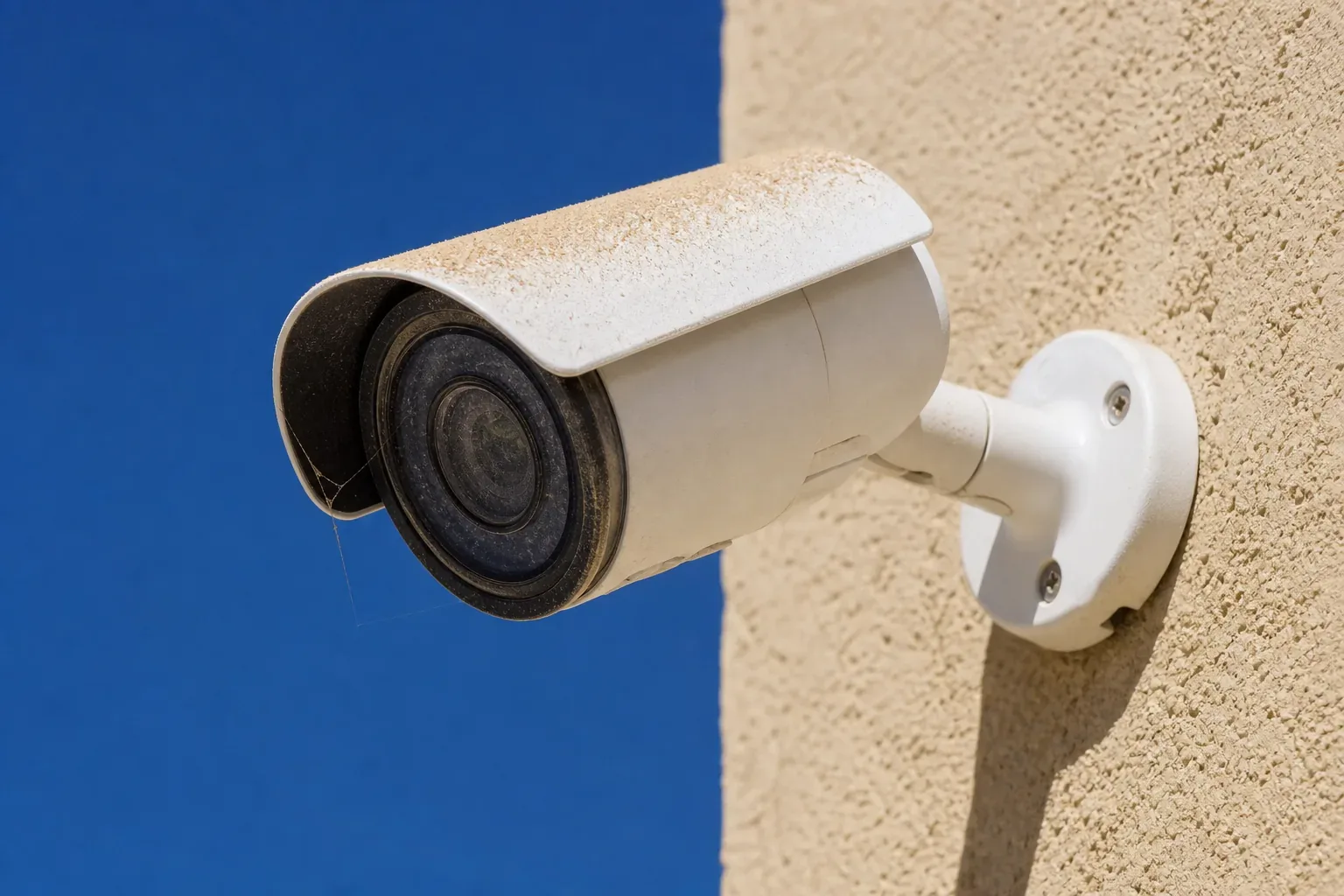
Dust on the lens. The most common fault by a wide margin. Fine dust builds on the front glass, and instead of a clear failure you get a slowly softening picture that looks acceptable on a phone screen and is useless for identifying anyone.
Spiders and insects. A web across the housing sits right in the path of the infrared at night, so the camera sees a bright white blur and records nothing usable after dark. Insects drawn to the infrared trigger motion recording all night, which fills your storage with footage of nothing and pushes out the days you actually wanted to keep.
Heat and sun. Cameras on a west facing wall live in the harshest conditions on the site. Housings crack, seals dry out, sun shields warp, and the mounting bracket loosens until the camera is looking at a patch of sky.
Salt air. Along the coast in Muscat, Sohar and Salalah, corrosion works on brackets and connectors long before it touches the camera. An outdoor connection that was not properly sealed at install is the usual first casualty.
Hard drives. Surveillance drives write continuously, every hour of every day, and they wear out. A failing drive often does not stop the system: it drops sectors and quietly loses days of footage while the recorder still shows a green light.
Silent retention loss. Someone adds two cameras or raises the resolution, storage is not increased, and your thirty days of history becomes twelve. Nothing warns you.
Clock drift. A recorder with the wrong time produces footage that is hard to match to an event, and a timestamp you cannot vouch for is worth much less if anyone ever asks about it formally.
Power events. After an outage, most of the system comes back and one camera or one switch does not. Nobody looks at the wall of thumbnails carefully enough to spot the one that is a frozen frame.
The check you can run yourself in ten minutes
You do not need a technician to catch most of this. Once a month, someone in the office should:
- Open the live view and look at every camera, not just the main ones. Anything hazy, tilted, or showing a frozen picture goes on a list.
- Look at the same view again after dark. Night is where hidden faults show up, so check that the infrared is working and that nothing white is glaring back at the lens.
- Play back footage from about two weeks ago on two different cameras, and confirm you can actually export a clip and open the file.
- Check how far back the recording really goes, and compare it to what you expect.
- Check the date and time on the recorder against your phone.
- Try the remote view from mobile data rather than the office network, because that is how you will use it in an emergency.
If all six pass, your system is genuinely working. If any fail, you have found the problem in your own time rather than during an incident.
What a maintenance visit should actually include
A real service visit is more than a look at the screen. It should cover the cameras, the recorder and the parts in between:
- Cleaning lenses, glass domes and housings, and clearing webs and nests.
- Checking each camera's aim and focus against what it is supposed to cover, and correcting drift.
- Tightening mounts and brackets, and checking seals and cable entries for water and corrosion.
- Inspecting connectors and the cabinet, and confirming the switch is not running at its power limit.
- Checking drive health and free space, and confirming actual retention against the target.
- Applying firmware and security updates, and confirming the recorder is not needlessly exposed to the internet.
- Testing an export end to end, so you know the process works before you need it.
- Checking the backup power and its batteries.
- A short written report listing what was found, what was fixed, and what needs attention.
That last point matters more than it sounds. A visit with no report is impossible to judge, and impossible to compare with the next one.
How often, honestly
It depends on the site rather than the calendar. An indoor office system in a clean, air conditioned space is usually fine with a visit twice a year, plus the monthly self check. Outdoor cameras, sites near the coast, workshops, yards and anywhere dusty benefit from quarterly attention, because dust and sun are doing steady work on the equipment the whole time. A site with heavy dust or salt exposure can need more.
Anyone who tells you a system needs no maintenance at all is either selling you something or has never been called out to a site where nothing was recorded.
A maintenance contract, or call someone when it breaks
Both are legitimate. The question is which suits your situation.
Calling when it breaks works for a small indoor system where the monthly self check is done reliably and a day or two without one camera is not a crisis. You pay only for what you use. The risk is that silent faults are found late, and that you join the queue on the day you call.
A maintenance contract buys scheduled visits and a known route to support. It suits multi camera sites, outdoor systems, businesses with compliance or insurance expectations, and anyone who knows the monthly check will not actually get done. Before signing one, get clear on what it covers:
- How many visits a year, and are they scheduled or on request.
- What response is committed when something fails between visits, in writing.
- Whether parts are included, and which ones. Hard drives are the honest test of this, since they are the part most likely to need replacing.
- Whether remote support and firmware updates are included.
- Whether it covers only what was installed, or additions later.
- What is explicitly excluded, which is usually the most informative line in the document.
A contract that will not put its response times in writing is not offering you much beyond a cleaning schedule.
Maintenance is also security maintenance
Cameras and recorders are computers on your network, and old ones are a well known way into a business. Default passwords left unchanged, firmware that has not been updated in years, and a recorder with its ports forwarded straight to the internet are all common and all avoidable. Keeping the system patched, keeping the cameras on their own part of the network, and using proper remote access rather than an open port belongs in the same visit as cleaning the lenses. It is part of the same work as the rest of your cybersecurity, and it is the half of maintenance most providers skip.
When maintenance is not the answer
Sometimes the honest advice is that a system is past it. If cameras are old enough that parts are no longer available, if the picture cannot identify anyone even when clean, if the cabling was poor from the start, or if you are replacing a camera every few months, you are spending real money to keep something alive that will not do the job anyway. In that case a plan to replace it in stages, worst positions first, costs less over two years than another round of repairs. Our guide to choosing the right cameras covers what to look for when you get to that point, and the storage side is worth reading alongside it.
The short version
CCTV fails quietly, and in Oman it fails mostly through dust, heat, insects, salt and worn drives. Run the ten minute check monthly, get outdoor systems looked at properly a few times a year, and make sure whoever maintains yours leaves a written report and includes the security side. If your system has not been checked since it was installed, a free site survey to establish what is actually working is the sensible place to start. We look after systems we installed and systems we did not, as part of our CCTV service and our wider IT support work, and the first look costs nothing.
Get a quote for your setup

Amirh. Safavi
Founder
Amirh. Safavi is the founder of BudTech LLC, an IT and software company in Muscat founded in 2026, and writes its guides to business IT in Oman.
More from Amirh. Safavi