
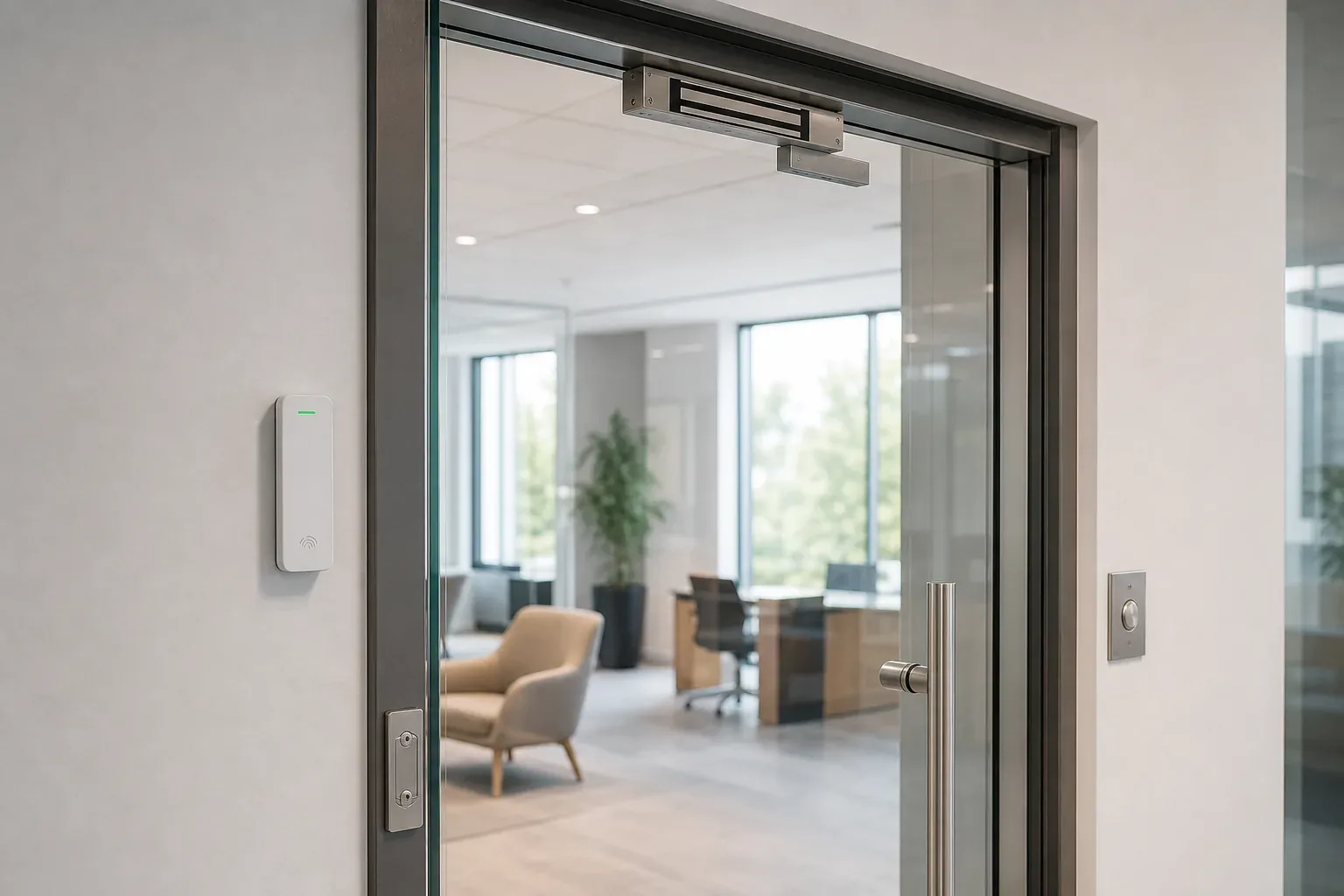
Access control systems: how door security actually works for a business
Cards, fingerprints, maglocks and exit buttons. A plain guide to what goes on the door, what runs behind it, and the decisions that matter before anyone starts drilling.
The problem with keys
Every business starts with keys, and keys work until the day they do not. Someone leaves and does not hand theirs back. A key gets copied at a shop down the road for pocket change. The cleaner needs the store room but not the finance office, so they end up with a key to both. Nobody can tell you who opened the warehouse at ten at night, because a lock does not keep records.
Access control fixes those specific problems. It puts a reader on the doors that matter, gives each person their own credential, and writes down every entry. Take someone off the system and they are off it everywhere, immediately, with no locks to change. That is the whole idea, and everything below is detail about how it is delivered. If you are running a small office and want the short version of how this pairs with cameras, we covered that in our guide to CCTV and access control for a small office.
Credentials: what people carry, or do not
- Cards and fobs are still the workhorse. Cheap, easy to issue, and easy to hand to a colleague, which is their weakness. Ask for encrypted card technology rather than the older unencrypted formats that can be cloned with a cheap device from the internet.
- PIN codes cost nothing to issue and get shared faster than anything else. Useful as a second factor on a sensitive door, weak as the only one.
- Fingerprint readers tie entry to a person rather than to an object, which is why they are popular where attendance matters. They struggle with dusty hands, worn fingerprints from manual work, and gloves, so they suit an office better than a workshop or a site gate.
- Face recognition has become the common choice for main entrances because it is quick and needs no contact. It wants sensible lighting to work reliably, so a reader facing a glass wall in full afternoon sun is a poor position.
- Phone based credentials turn the staff phone into the key. Convenient, nothing to issue or collect, and it removes the lost card problem, though it does depend on everyone having a suitable phone.
Most businesses end up mixing these: a card for general staff, a card plus PIN on the server room, face or fingerprint at the main door.
What actually goes on the door
The reader is the visible part. The rest is what makes the door work, and it is where quotes differ more than people realise.
The lock is either an electromagnetic lock, a plate that holds the door shut while it has power, or an electric strike that replaces the metal keeper in the frame. Maglocks are simple and suit glass doors. Strikes are neater on timber doors and keep the door mechanically latched. Both need a proper power supply with a battery backup, because a system that dies with the building power is not doing its job.
Then there are the parts people forget in a cheap quote: a request to exit button or sensor inside, so leaving does not need a credential, a door contact so the system knows if a door is propped open, a door closer that actually closes it, and a mechanical override for the day the system needs bypassing. A tidy install also means the cabling is run properly rather than stapled along a skirting board, which is the same structured cabling discipline the rest of your network needs.
Getting out safely is not optional
This is the part to raise on day one. Any door on an escape route has to let people out in an emergency, including when the power fails and including when the system is confused. That is handled with the right lock type, a break glass release, fire alarm interfacing and an exit device, and the correct combination depends on your building and how it is signed off for fire safety.
Do not let anyone lock an exit route and work it out afterwards. Bring it up in the survey, and make sure whoever designs the system is happy to state, in writing, how each door releases in an emergency.
Standalone, networked, or managed centrally
A standalone door keeps its user list on the reader itself. It is the cheapest way to control one or two doors, and it is fine for a store room. The cost shows up later: every change is made at each door by hand, and there is no useful record.
A networked system connects the doors to a controller and a piece of software. You manage everyone from one screen, set who can go where and at what times, and pull a report on any door. This is the sensible baseline for anything beyond a couple of doors.
A cloud managed system puts that software online, so you can add and remove people from anywhere and link several branches into one view. It usually comes with a subscription, and it needs a reliable connection at each site, so it earns its cost when you have more than one location or nobody on site to administer it.
What you get beyond a locked door
The lock is the least interesting part. What the system gives you is a record and a set of rules.
You get an audit trail, so a question like who was in the building on Friday evening has an answer. You get time based rules, so the cleaning contractor's card works between six and eight in the morning and at no other time. You get instant removal when someone leaves, which is the single biggest security gain over keys. You can issue a temporary credential to a contractor that expires by itself. And you can pair the door events with your cameras, so an entry at an odd hour is a video clip you can actually find, which is much easier when the camera system was designed alongside the doors.
Attendance data usually comes out of the same readers, and for many businesses that is a welcome side effect rather than the reason to buy.
Where these installations go wrong
- Nobody owns the user list. The system is only as accurate as the last leaver removed. Someone has to own it, and their first job is a quarterly review of who is on it.
- Biometric data with no thinking behind it. Fingerprint and face templates are personal information about your staff. Keep them on a system you control, tell people what is collected and why, remove them when someone leaves, and take proper advice on your obligations under Oman's data protection rules rather than assuming the supplier has handled it.
- The door itself is neglected. Most faults blamed on access control are mechanical: a sagging hinge, a closer that no longer closes, a strike out of alignment. The electronics are usually innocent.
- Dust and heat on outdoor readers. A gate reader in the sun needs the right rating and a shade, or you will be replacing it.
- No plan for power failure. Batteries age quietly. If nobody tests them, you find out during the first real outage.
- One reader, one direction. A reader only on the way in means the system knows who entered but never who left, which weakens both the audit trail and any attendance use.
Before you buy, ask these
Ask which credential technology is used and whether it is encrypted. Ask how each door releases in a fire. Ask whether the system is open enough to add a different brand of reader later, or whether every future door has to come from the same supplier. Ask where the user database lives and who can reach it. Ask what happens when the controller fails: do the doors fail open, fail locked, or keep working on their own for a while. And ask who comes out when something breaks, because ongoing local support is the part that determines whether the system still works in year three.
The short version
Access control is worth it the moment you have staff turnover, more than one area that needs different permissions, or a question about who was in the building that you cannot answer. Choose credentials to match the environment, spend properly on the door hardware, settle emergency exit before anything is fitted, and put one person in charge of the user list. Done that way it quietly saves you the cost of a lock change every time someone leaves. If you want the doors, the cameras and the network designed as one system rather than three, that is exactly what our end to end IT setup work covers, and it starts with a free site survey.
Get a quote for your setup

Amirh. Safavi
Founder
Amirh. Safavi is the founder of BudTech LLC, an IT and software company in Muscat founded in 2026, and writes its guides to business IT in Oman.
More from Amirh. Safavi